Microsoft Teams Phone Settings

Microsoft Teams Phone Settings
Voicemail
Forward calls to voice mail | 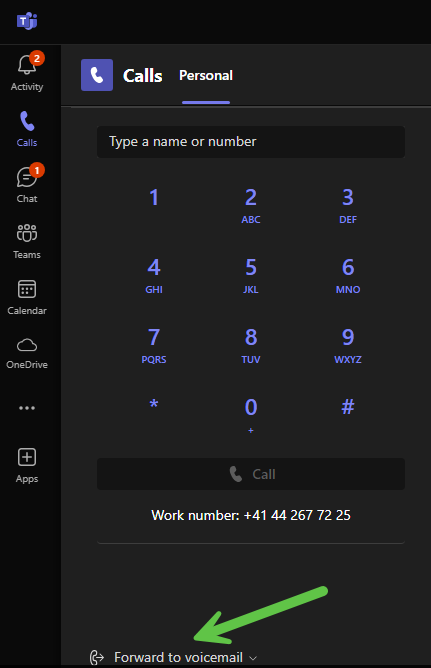 |
Voice messages are automatically converted into text and sent to the recipient via email. (This works quite well for German and not at all for Swiss German). | 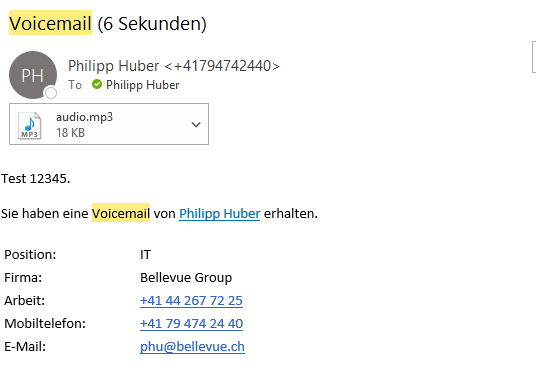 |
Additional settings
Where you can switch from "don't forward" on "forward to voicemail" or "Forwarding to call group" there is the selection "More Settings" | 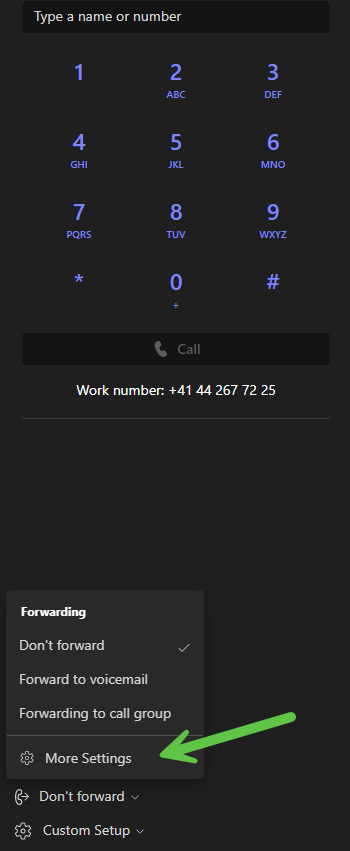 |
In this area (call handling and forwarding) there are extensive options to personalize the call flow, depending on requirements. It is also possible to create call groups or delegates. Individual teams can thus organize themselves optimally according to their requirements. | 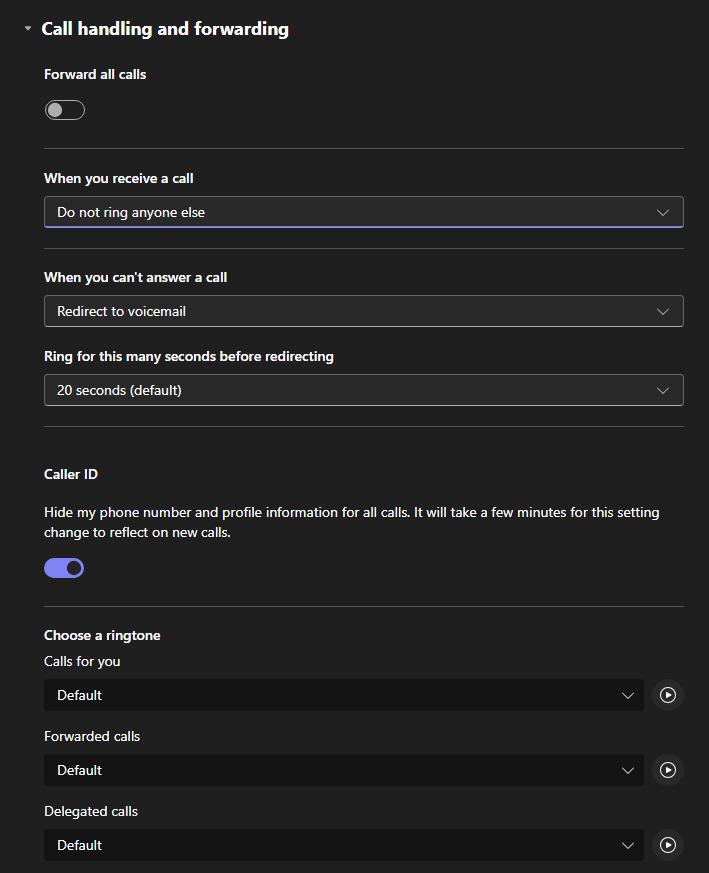 |
Notification / Troubleshooting
Via custom settings --> device settings you can access further setting options | 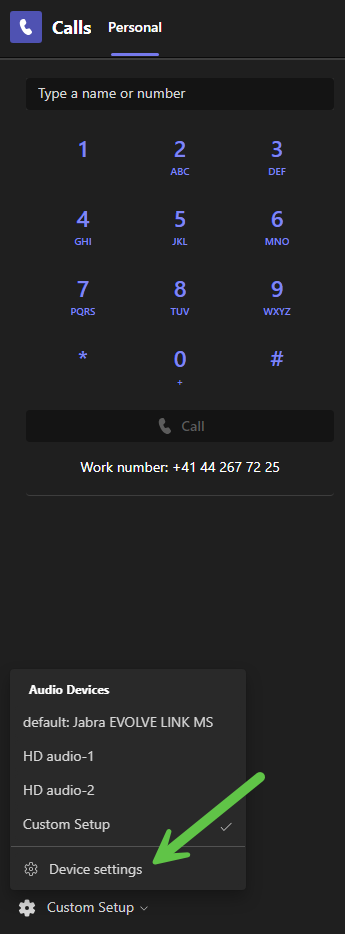 |
When making phone calls with a headset, it is important that the connected headset is effectively selected as the device under Speaker and Microphone in the audio settings. It is possible to check this with a test call. | 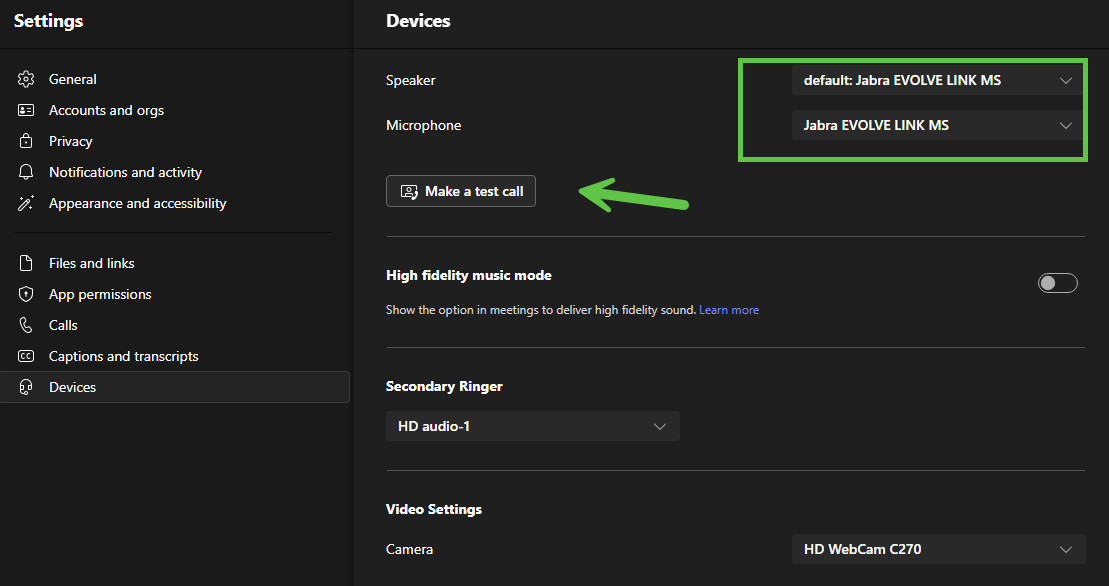 |
Secondary Wrestler Under this point you can choose which audio device should ring in addition to the headset. In the office on the thin client this is HD audio-1 At home it is the internal speaker of the PC/laptop. The name is not uniform. (e.g. Realtek, etc.) | 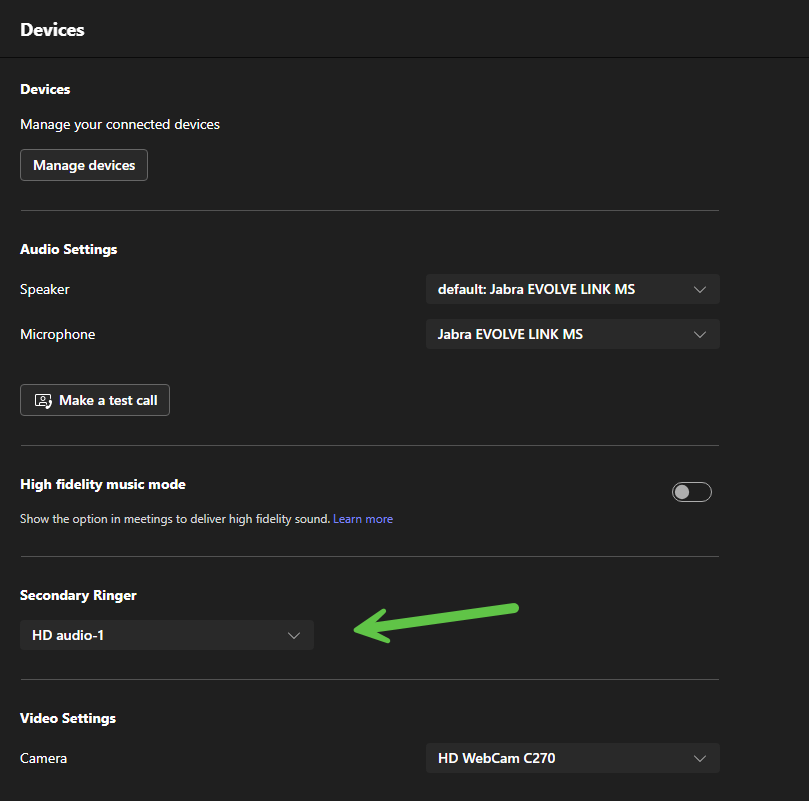 |
