Access to Bloomi PC

Access to Bloomi PC
- Installation of “TightVNC Viewer” via Company Portal
- Open TightVNC Viewer via the Start menu (optionally pin to the taskbar)
- Enter the Bloomi PC name and press "Connect".
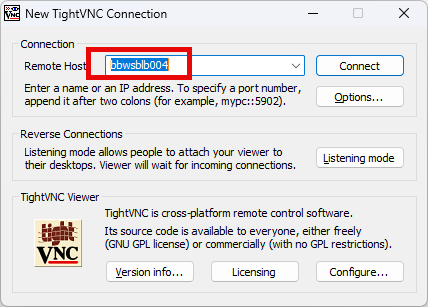
- Finance Team: bbwsblb002
- Sales Team: bbwsblb003
- Ops Team: bbwsblb004 - Enter your VNC password to open the connection.
